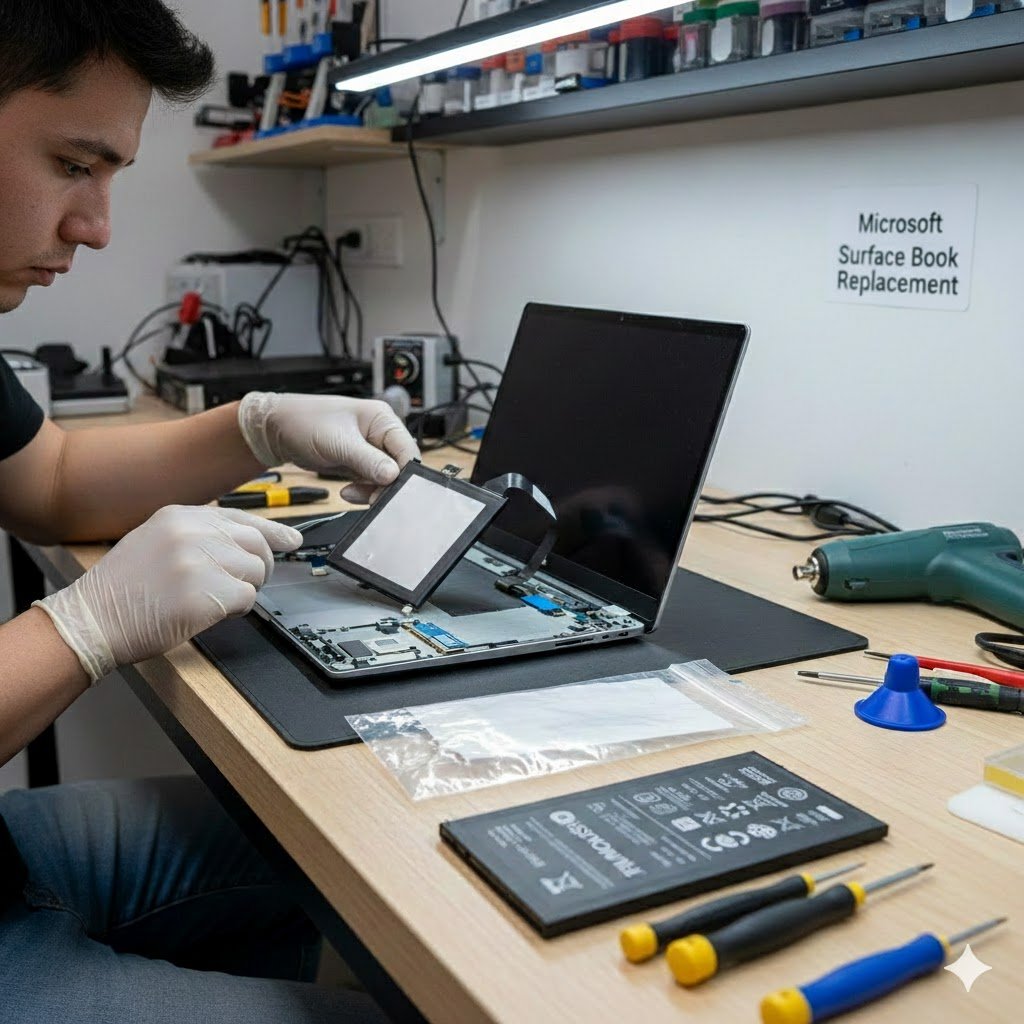
If your Microsoft Surface Book has short battery life, shuts down unexpectedly, or shows signs of swelling, it may need to be replaced. At Smashed IT in Auckland, we offer skilled technicians for battery replacement to restore your device’s performance.
This article explains when your Surface Book battery needs to be replaced, how the replacement process works, and why Smashed IT provides a safe and reliable repair.
Understanding the Microsoft Surface Book Battery
The Microsoft Surface Book is a versatile 2-in-1 laptop with a detachable display. It has two separate batteries: one in the tablet/display portion and another in the keyboard/base portion. Most battery issues occur in the display battery, which powers the tablet when detached from the keyboard. Over time, batteries degrade, reducing charge capacity and causing performance issues.
A healthy Surface Book battery should:
- Hold the charge for several hours
- Power the device without sudden shutdowns
- Maintain a normal temperature during use
If your battery struggles with any of these, it’s time to consider a Surface Book battery replacement.
Common Signs Your Surface Book Battery Needs Replacement
- Rapid Battery Drain: If your device only lasts a fraction of its original battery life, the cells may be failing.
- Failure to Charge: The battery does not reach 100% or charges inconsistently.
- Overheating: The device becomes excessively hot even during everyday use.
- Swollen Battery: Any visible bulging is dangerous and requires immediate replacement.
- Unexpected Shutdowns: Your Surface Book powers off suddenly, even when the battery shows remaining charge.
Ignoring these signs can cause permanent damage to your Surface Book, so prompt replacement is crucial.
The Surface Book Battery Replacement Process
Replacing a Surface Book battery is not a simple task. It involves careful handling of the delicate components in the display unit. Here’s an overview of the process:
1. Power Down and Prepare
Before beginning, turn off your Surface Book completely. Disconnect all cables and peripherals. If your battery is swollen, handle the device with extra caution to prevent damage.
2. Detach the Display
The display must be removed from the keyboard base:
- Click and hold the Detach button on the keyboard.
- Wait for the LED indicator to turn green and hear a click.
- Alternatively, use the Detach icon in Windows to release the display.
- Carefully remove the display from the base.
If your device won’t power on, a manual detachment using a specially bent paperclip is necessary.
3. Access the Internal Battery
Once detached, place the display face down. To reach the battery:
- Screen removal using a heat gun and iOpener.
- Follow proper anti-clamp precautions to prevent screen damage.
4. Disconnect the Battery
Carefully disconnect the internal battery connector from the motherboard. Avoid puncturing or bending the battery. Safety is critical as lithium-ion batteries can be hazardous if mishandled.
5. Remove and Replace the Battery
After disconnecting, remove the old battery and install a new Microsoft Surface Book-compatible battery. Reconnect the battery, reassemble the display, and reattach it to the keyboard base.
6. Test Your Device
After replacement, fully charge the battery and monitor its performance. Ensure the device charges correctly, retains battery life, and operates without overheating.
Why Choose Smashed IT for Surface Book Battery Replacement
Our Auckland-based repair Technicians offer:
- Expert Technicians
- Genuine or High-Quality Replacement Batteries
- Quick Turnaround
- Comprehensive Testing
- Safe Handling
We understand the value of your Surface Book, whether for work, study, or creative projects. Our team ensures your device is returned in optimal condition.
DIY vs Professional Replacement
DIY battery replacement is risky:
- You may void your warranty.
- Incorrect handling can damage the display or motherboard.
- Swollen batteries can be dangerous.
Professional repair at Smashed IT guarantees safety, efficiency, and long-term reliability.
Cost of Surface Book Battery Replacement
Battery costs vary by model and type. We provide clear pricing with no hidden fees. Contact our Auckland, Ponsonby store for an estimate and consultation.
Preventing Future Battery Issues
To extend the life of your Surface Book battery:
- Avoid exposing the device to extreme temperatures.
- Keep battery charge between 20% and 80%.
- Use genuine chargers and cables.
- Keep your Windows system up to date to optimize battery life.
Regular monitoring and maintenance help prevent sudden battery failures and keep your Surface Book performing at its best.
Book Your Surface Book Battery Replacement in Auckland
If your Surface Book battery is failing, trust Smashed IT for reliable repair. Our Auckland team provides fast, safe, and professional battery replacements.
Alternatively, call or drop into our Auckland store to speak with our technicians and schedule your repair today.
Conclusion
A dying Surface Book battery can impact your work and entertainment. Act fast, replacing it early prevents further issues and restores performance. Smashed IT offers expert repairs using original parts, ensuring your Surface Book runs smoothly again. Book your repair today.
FAQs – Surface Book Battery Replacement
1. How do I know if my Surface Book battery needs replacement?
Common signs include rapid battery drain, failure to charge fully, overheating, swollen battery, or unexpected shutdowns. If you notice any of these issues, it’s time for a battery replacement.
2. Can I replace the Surface Book battery myself?
While guides like iFixit exist, DIY battery replacement is risky. The Surface Book battery is integrated into the display, and mishandling can damage the device or void your warranty. Professional replacement at Smashed IT is safer and more reliable.
3. How long does a Surface Book battery replacement take?
At Smashed IT Auckland, most battery replacements are completed within a few hours. Exact time depends on your model and battery condition.
4. Are the replacement batteries genuine?
Yes. We use genuine or high-quality compatible batteries to ensure long-lasting performance and safety.
5. Will my data be lost during battery replacement?
No. Battery replacement does not affect your personal data. However, it’s always good practice to back up important files before any repair.