Introduction
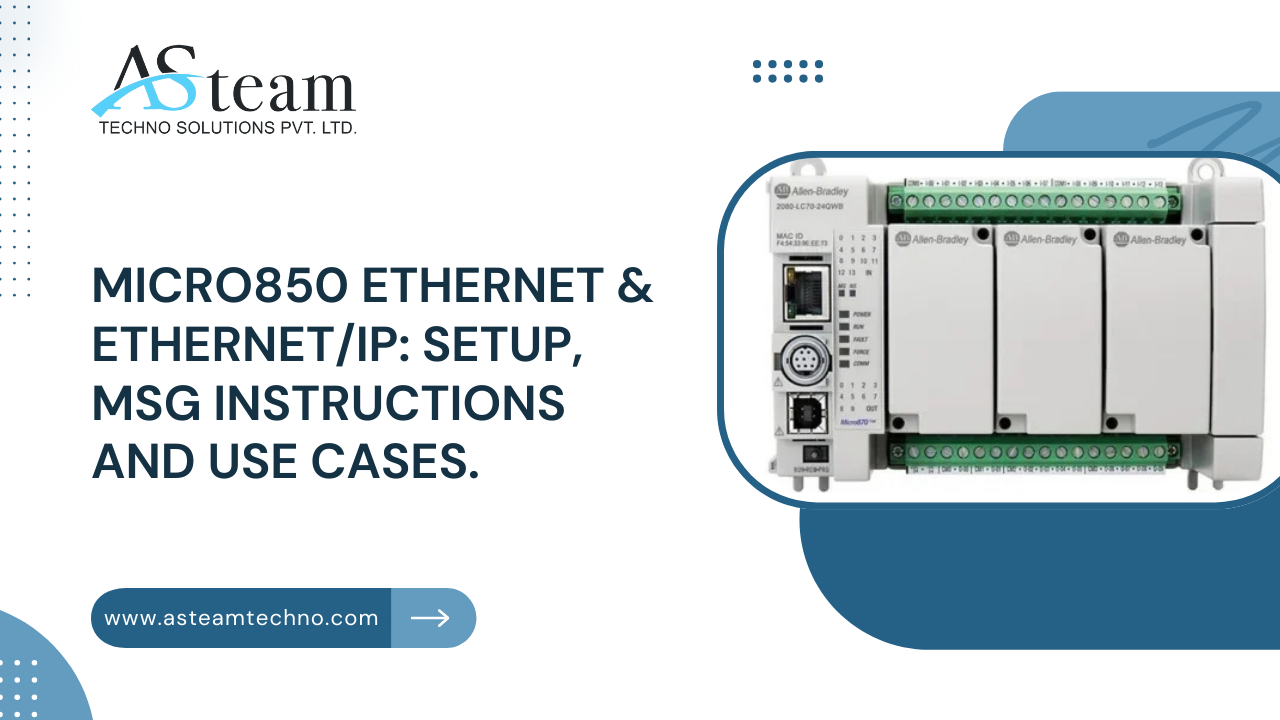
The Allen-Bradley Micro850 PLC is a versatile, high-performance controller perfect for standalone machines and medium-scale automation projects. Its built-in Ethernet port and support for EtherNet/IP make it easy to connect and communicate with other devices on the network, from PLCs to sensors and drives. One of its standout features is the MSG (Message) instruction, which allows precise, explicit messaging between devices for reliable data exchange. In this blog, we’ll guide you through setting up Micro850 Ethernet and EtherNet/IP connections, configuring MSG instructions, and exploring real-world use cases to show how these capabilities improve automation, connectivity, and efficiency.
Micro850 Ethernet & EtherNet/IP Setup
The Micro850 comes equipped with an embedded Ethernet port, simplifying programming and integration with other devices. Network configuration is done through Connected Components Workbench (CCW), where you can assign the IP address, subnet mask, and gateway to fit your facility’s network without causing conflicts. Proper configuration ensures smooth communication with other Allen-Bradley PLCs, VFDs, and compatible third-party devices.
The Micro850 can serve as both a scanner (initiator) and an adapter (target) in EtherNet/IP networks. This dual role allows it to send or receive data depending on your system setup, providing flexibility for device-to-device communication. To ensure reliable operation, it’s crucial to check firmware compatibility between devices and carefully plan IP addresses to avoid duplication. When these steps are followed, the Micro850 provides low-latency, dependable communication that supports both simple automation tasks and more complex multi-device networked operations.
MSG (Message) Instructions: Usage and Configuration
MSG instructions are a core feature of the Micro850, enabling explicit communication between the PLC and other devices, including drives, sensors, or other PLCs. They are essential for transferring data precisely and reliably, especially when communicating with devices outside the Micro850 family.
Setting up MSG instructions is done within the CCW ladder editor. You first define the message type (such as CIP Read, CIP Write, or Generic), then select the target device and configure parameters like service codes and tags. Following best practices, use timers to control MSG execution, preventing network congestion, and implement proper error handling to manage communication failures.
Common MSG use cases include reading real-time data from a remote PLC, sending control commands to PowerFlex drives, or exchanging information with third-party EtherNet/IP devices. Strategically using MSG instructions ensures efficient inter-device communication, reduces manual intervention, and allows seamless integration across a variety of automation components.
Common Use Cases and Applications
The Micro850 is highly flexible, fitting into a wide range of automation scenarios. For SCADA and HMI integration, it works with platforms like FactoryTalk, Ignition, and AVEVA, providing centralized monitoring and control. It can also facilitate machine-to-machine communication, allowing data exchange with CompactLogix, MicroLogix, or other Micro800 PLCs through EtherNet/IP and MSG instructions.
The controller can capture real-time production data by connecting to sensors, barcodes, and IoT devices, which is helpful for quality control, process monitoring, and analytics. Third-party HMI panels, such as Weintek or Pro-face, can be connected using EtherNet/IP or Modbus TCP, giving operators intuitive control interfaces.
Remote access allows maintenance teams to monitor and troubleshoot PLCs without being on the plant floor, saving time and reducing downtime. Whether for simple machine control or complex multi-device networks, the Micro850 provides reliable connectivity, precise control, and real-time monitoring, making it ideal for modern industrial automation applications.
Benefits of Micro850 Ethernet & EtherNet/IP
Micro850 PLCs offer fast, low-latency communication, which is critical for real-time automation. They are scalable, supporting up to 192 I/O points and multiple expansion modules, enabling system growth without major redesigns. The controller is flexible, handling both basic machine operations and advanced multi-device setups. Seamless integration with PowerFlex drives improves motion control capabilities, while MSG instructions enable precise messaging for device coordination. Overall, the Micro850 provides reliable, adaptable, and efficient automation, helping industries reduce downtime, optimize processes, and maintain high operational standards.
Conclusion
The Micro850 PLC combines Ethernet connectivity, EtherNet/IP communication, and MSG instruction capabilities to deliver flexible, reliable, and efficient automation solutions. Proper setup unlocks its full potential, enabling seamless integration, real-time monitoring, and precise control. It’s an ideal choice for modern industrial applications requiring robust networked automation.
FAQs
Q1. What is the Micro850 PLC?
A versatile controller for standalone and networked automation.
Q2. How do I configure Ethernet settings?
Use Connected Components Workbench (CCW) for IP setup.
Q3. What are MSG instructions?
Tools for explicit messaging between devices.
Q4. Can Micro850 communicate with other PLCs?
Yes, via EtherNet/IP and MSG instructions.
Q5. What are the benefits of using Micro850?
High performance, scalability, and flexible automation.
Product Table: Micro850 Controllers Overview
| Model | I/O Points | Ethernet Port | Expansion Modules | Key Features |
| 2080-L50E | 24 | Yes | Up to 5 | Embedded Ethernet, high-speed counters |
| 2080-L50E-48QWB | 48 | Yes | Up to 5 | High-density I/O, Pulse Train Output (PTO) |
| 2080-L50E-24QBB | 24 | Yes | Up to 5 | Compact design, versatile I/O options |
Reach Us
Asteam Techno Solutions Pvt. Ltd. is AVEVA (Formerly Wonderware) Registered System Integrator providing sale/service/support and executing the HMI/SCADA, Historian/MES Solutions to End-user & OEM/System Integrator community for their diverse needs.
Leading single-source supplier & solution provider for industrial automation hardware and software solutions needed.
Preferred wholesale supplier, stockiest & exporter of Programmable Logic Controller (PLC), Drive (VFD), HMI, Panel PC, SCADA, Profibus Connector, Cable, and many more automation products.
We serve OEM, Pharmaceuticals, Chemicals, Petrochemicals, oil & gas, Panel manufacturers along with our process equipment. Also, we deliver services to Food processing OEM, electrical industries & mechanical industries with our special purpose process components.
Related Reads
- Top Strategies for Effective Automated CRM Implementation
- Introducing the ZF-5, an Improved, American-Made HK MP 5
- Best Real Estate Company in the Philippines for Students and University Housing
- Stylish Cushion Covers to Elevate Every Sofa Set
- Compact Living Made Easy: Why Single Door Refrigerators Are Perfect for Small Homes